

- Evaluate selected traces or sessions during review
- Create a one-off eval run with filters and sampling
- Choose metrics visually
- Review run status, scores, reasons, and metadata from the dashboard
Create evals from Traces tab
Use the Traces tab when you already know which traces you want to evaluate.1
Open the Traces tab
In the PandaProbe dashboard, open Traces to view the trace table.
2
Choose traces to evaluate
Select a batch of traces from the table and click Evaluate, or open a specific trace and click Evaluate from the trace detail view.
3
Configure the eval run
In the sidebar, enter a run name, select one or more trace-level metrics, and optionally choose the model used for LLM-as-judge evaluation.
4
Submit the run
Click Submit. PandaProbe starts the eval run in the background and attaches scores to the selected traces when the run completes.
Create evals from Sessions
Use the Sessions tab when you want to evaluate complete agent lifecycles. The workflow is the same as trace evaluation: select sessions from the table, or open a session detail page and click Evaluate.1
Open the Sessions tab
Open Sessions to view grouped agent sessions tab.
2
Choose sessions to evaluate
Select a batch of sessions from the table, or open one session and click Evaluate.
3
Configure the eval run
In the sidebar, enter a run name and select session-level metrics such as
agent_reliability or agent_consistency.4
Optionally customize signal weights
For session evaluation, you can use Customize signal weights to adjust how much each trace-level signal contributes to the session score.
5
Submit the run
Click Submit. PandaProbe starts the session eval run in the background and attaches scores to the selected sessions.
Create evals from Evaluations tabs
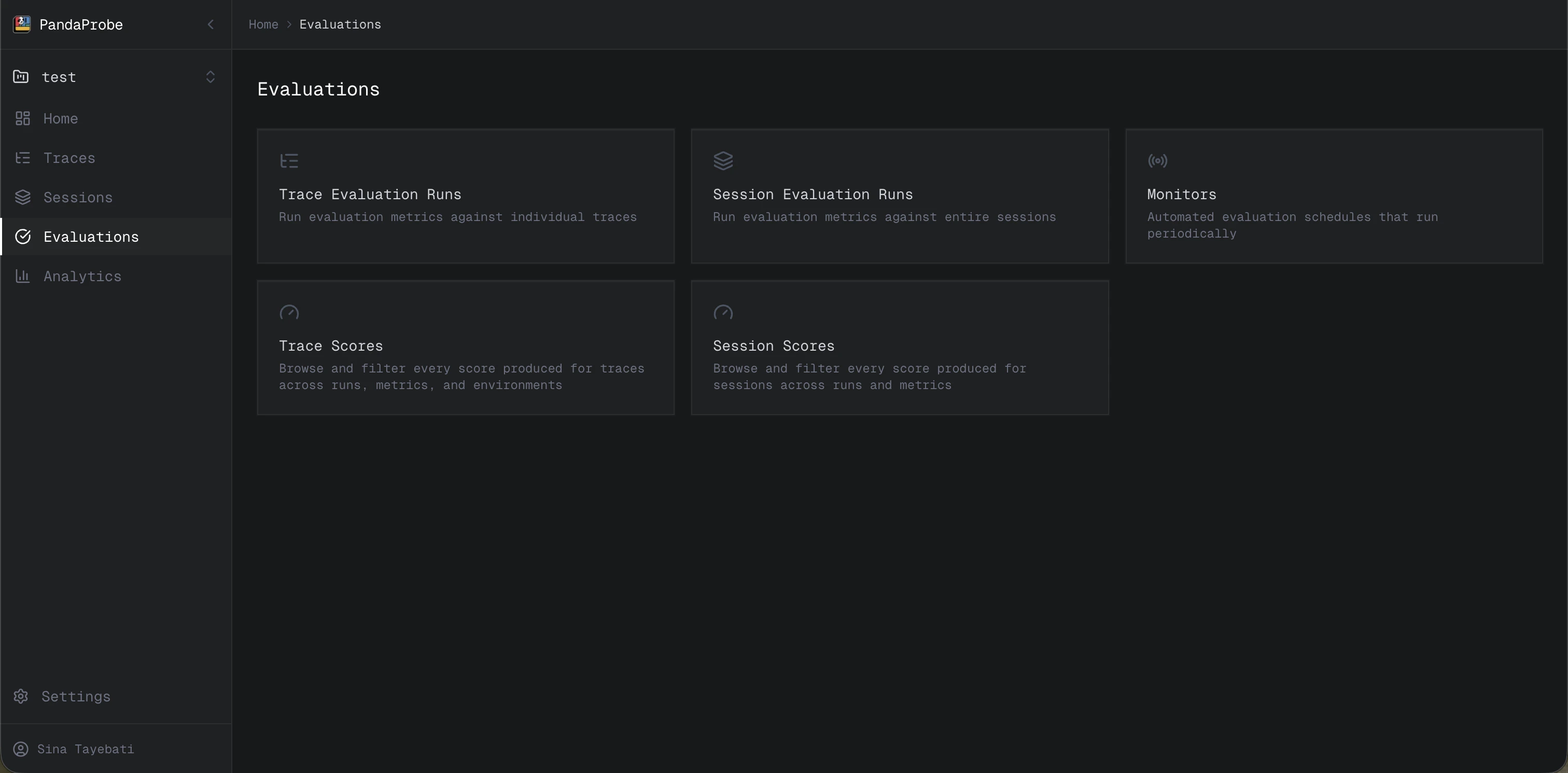
Use the Evaluations tab when you want to create an eval run from filters rather than manually selecting traces or sessions. When you open Evaluations, you will see five cards:- Trace evaluation runs
- Session evaluation runs
- Monitors
- Trace scores
- Session scores
Trace evaluation runs
Open Trace evaluation runs when you want to evaluate traces selected by filters.1
Open Trace evaluation runs
From Evaluations, click Trace evaluation runs.
2
Click Create evaluation
Click Create evaluation to open the eval run sidebar.
3
Configure the run
Add a name, select trace-level metrics, and optionally select the model used for LLM-as-judge evaluation.
4
Add filters
Use filters such as Started after, Started before, Status, Trace ID, Session ID, and Tags to define the traces you want to evaluate.
5
Set the sampling rate
Set Sampling rate to choose what portion of matching traces should be evaluated. For example,
0.25 evaluates 25% of traces that match your filters.6
Submit
Click Submit. The eval run starts in the background.
Session evaluation runs
Open Session evaluation runs when you want to evaluate sessions selected by filters.1
Open Session evaluation runs
From Evaluations, click Session evaluation runs.
2
Click Create evaluation
Click Create evaluation to open the eval run sidebar.
3
Configure the run
Add a name, select session-level metrics, and optionally customize signal weights.
4
Add filters
Use filters such as Started after, Started before, Session ID, User, Tags, and other session filters to define the sessions you want to evaluate.
5
Set the sampling rate
Set Sampling rate to choose what portion of matching sessions should be evaluated.
6
Submit
Click Submit. The session eval run starts in the background.
Review eval results
After an eval run starts, PandaProbe processes it in the background. You can review progress and results from the Evaluations tab:- Trace evaluation runs shows trace eval run status and history.
- Session evaluation runs shows session eval run status and history.
- Trace scores lets you inspect scores attached to traces.
- Session scores lets you inspect scores attached to sessions.
Next steps
Scheduling Evaluations
Automate recurring evaluations with monitors.
Run Evaluations via API
Create eval runs programmatically.